Automatic blocking
Meta Pixel, Hotjar, TikTok, LinkedIn and 50+ trackers wait until the visitor agrees. Nothing to rewrite.
Scan your site, design a banner that matches your brand, and publish it with a copy-paste snippet. Cookivo blocks trackers until visitors agree and keeps proof of every choice.
<script src="https://cookivo.com/cookivo.js" data-site-id="YOUR_ID" …></script>Works on WordPress, Shopify, Wix, Framer, Webflow, Squarespace and plain HTML.
How it works
A full dashboard for every site you manage. Here's what you'll use.
Features
Built small and fast: one script, no extra stylesheets, and nothing that can clash with your site.
Meta Pixel, Hotjar, TikTok, LinkedIn and 50+ trackers wait until the visitor agrees. Nothing to rewrite.
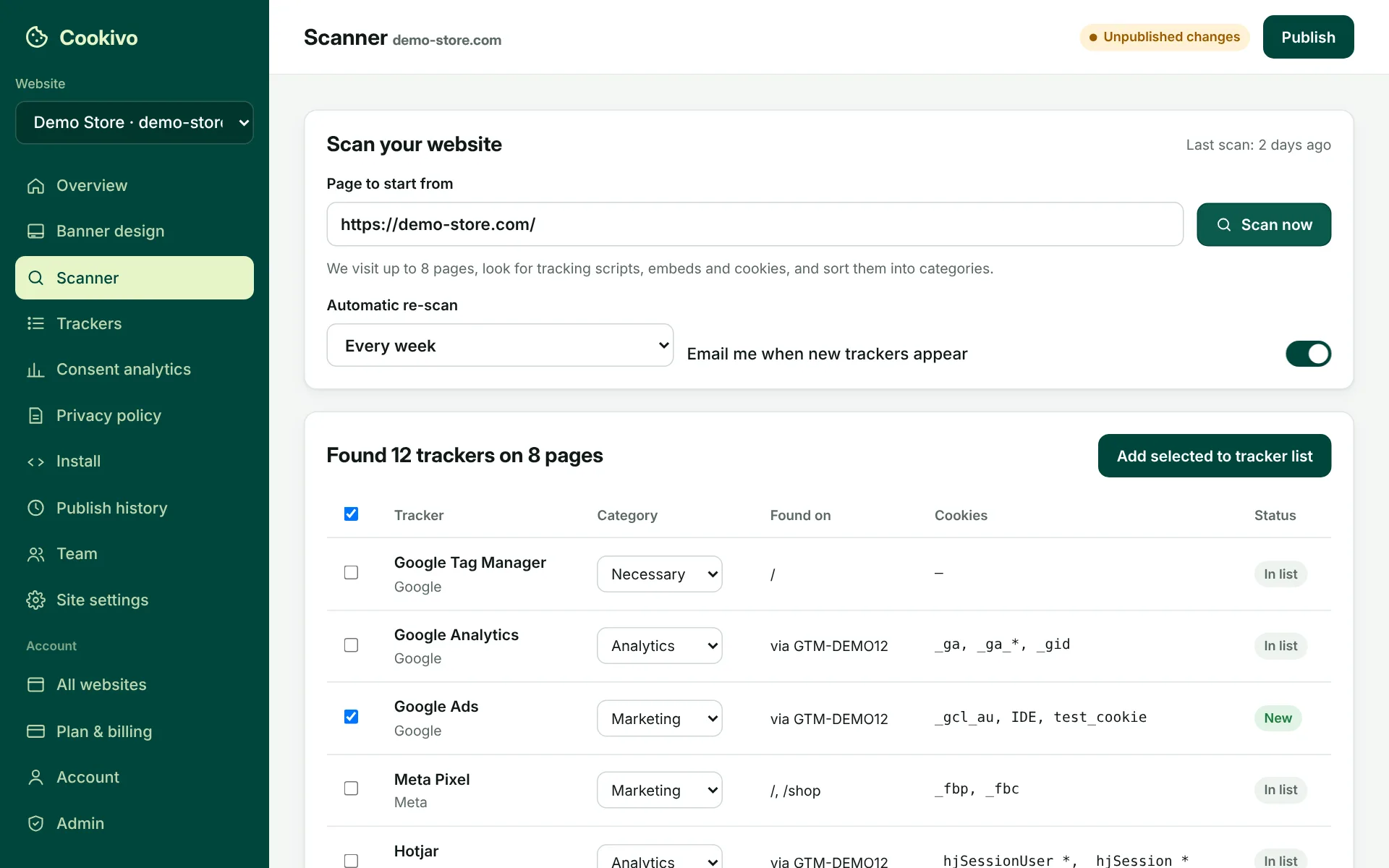
Finds trackers in your pages, inside Google Tag Manager and in your own JavaScript, and names your cookies.
Real country detection: opt-in for Europe, the UK and Brazil, opt-out with “Do Not Sell” for the US. You choose.
Three layouts, your colours, logo, fonts, dark mode and custom CSS, with a live desktop and mobile preview.
Consent signals reach Google Analytics and Ads automatically, plus Microsoft Ads and Meta consent.
English, Bangla, Spanish, German, French, Arabic, Hindi, Japanese, Chinese and more. Edit any text.
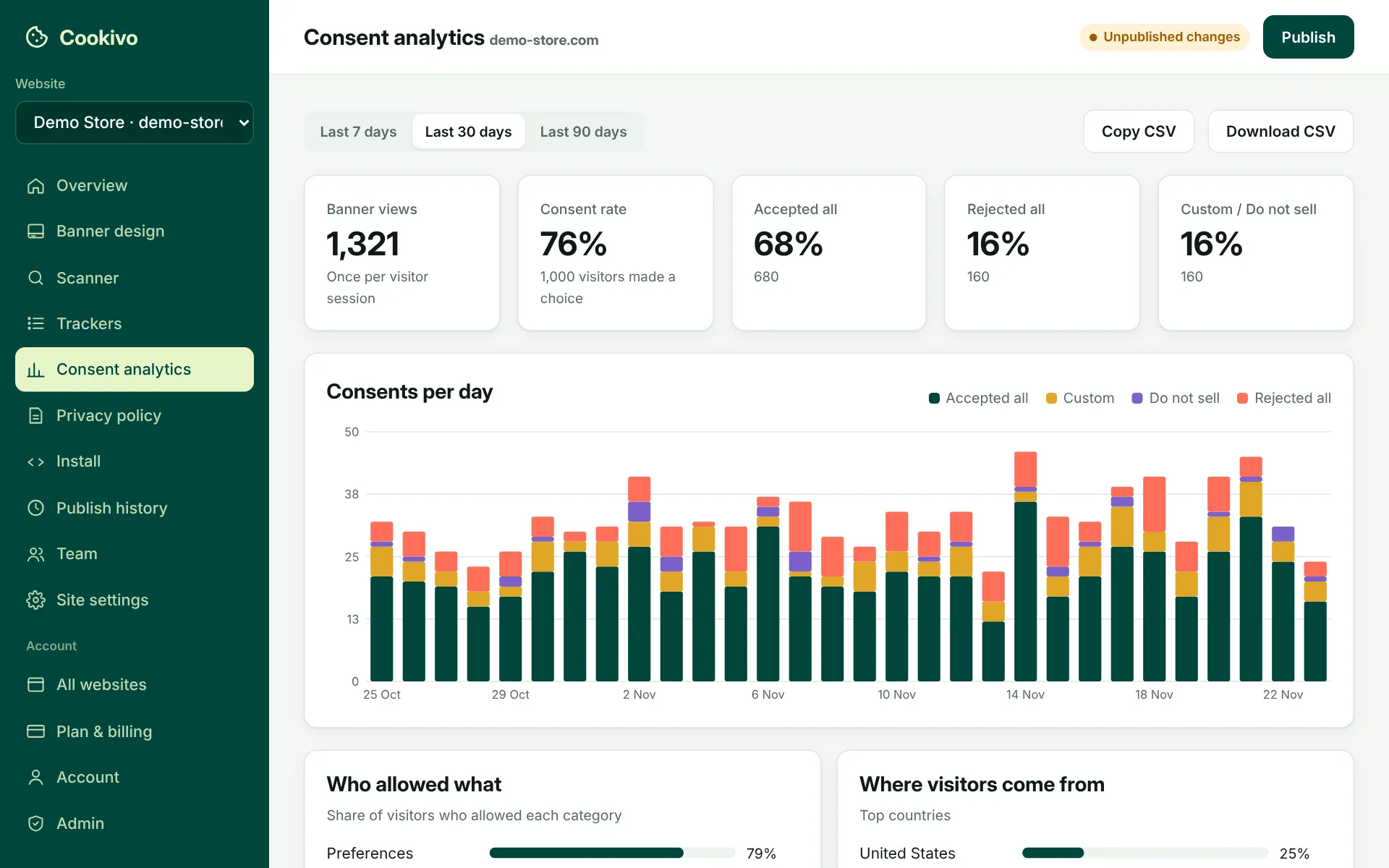
Consent rate, countries, devices, and a searchable log. Look up any visitor by their consent ID.
Generate a policy from your real tracker list and link to a hosted page that updates when you publish.
Invite clients or colleagues to a site as viewers or editors. Agency plan covers 25 sites.
YouTube, Vimeo, Maps, Calendly and more show an “Allow & load” card until accepted.
Every publish is saved. Roll back to any earlier banner in one click.
WordPress plugin, Shopify Customer Privacy API, WP Consent API and a developer API.
Consent analytics
If a regulator or client asks, you can show exactly when and how each visitor consented.
Opt-in by default for visitors in Europe and the UK. Nothing runs before consent, and rejecting is as easy as accepting.
Opt-out notice for US visitors, and the browser's Global Privacy Control signal is respected.
Google Analytics and Ads receive consent signals automatically.
Each choice is logged with an anonymous ID, time, page and policy version.
A banner that only shows a message doesn't stop trackers. Here's how Cookivo compares, in general terms.
| Cookivo | Basic banner plugins | Enterprise consent tools | |
|---|---|---|---|
| Blocks trackers before consent | ✓ | Often not | ✓ |
| Country-based rules (EU opt-in, US opt-out) | ✓ | — | ✓ |
| Scans inside Google Tag Manager | ✓ | — | Varies |
| Google Consent Mode v2 | ✓ | Sometimes | ✓ |
| Consent logs & lookup by ID | ✓ | — | ✓ |
| Works on any platform | ✓ | One platform | ✓ |
| Team & client access | ✓ | — | Higher plans |
| Starting price | Free, then $9/site | Free | Often $10–50+/site |
Find out in under a minute. No sign-up needed.
Every plan includes the scanner, banner designer, all languages and Google Consent Mode v2.
We scan your site, categorise every tracker, match the banner to your brand and install it on your platform. One-time $49 per site.
Yes. If your site lets you add a script to the <head> — WordPress, Shopify, Wix, Framer, Webflow, Squarespace, Next.js or plain HTML — Cookivo works. The docs have step-by-step guides for each platform.
Cookivo blocks trackers until visitors agree, sends Google Consent Mode v2 signals, scans your site for trackers and keeps a log of every consent. A banner that only shows a message does none of that.
No. You install the snippet once. After that, every change you make in the dashboard goes live when you press Publish.
The script is one small file with no extra stylesheets or fonts. It loads first so trackers can wait for consent, and your saved settings are cached in the visitor's browser.
Cookivo handles the consent part: asking, blocking, remembering and logging. You still need an accurate privacy policy and should check your overall setup with a legal adviser.
With Consent Mode v2 on, Google tags load in a cookieless mode and switch to full measurement when a visitor accepts, so you keep modelled data instead of losing it.
Cookivo detects each visitor's country. By default, Europe, the UK, Switzerland and Brazil get a strict opt-in banner, the US gets a notice with a Do Not Sell link, and you choose the rule for everyone else.
Yes. Invite them as viewers to see analytics and consent logs, or as editors to change and publish the banner.
Yes. Choose the done-for-you setup and we scan your site, categorise the trackers, match the banner to your brand and install it.
Yes. Paid plans are monthly or yearly with no contract, and you can stay on the Free plan as long as you like.
Free for your first site. No card needed.